Google AI Studio
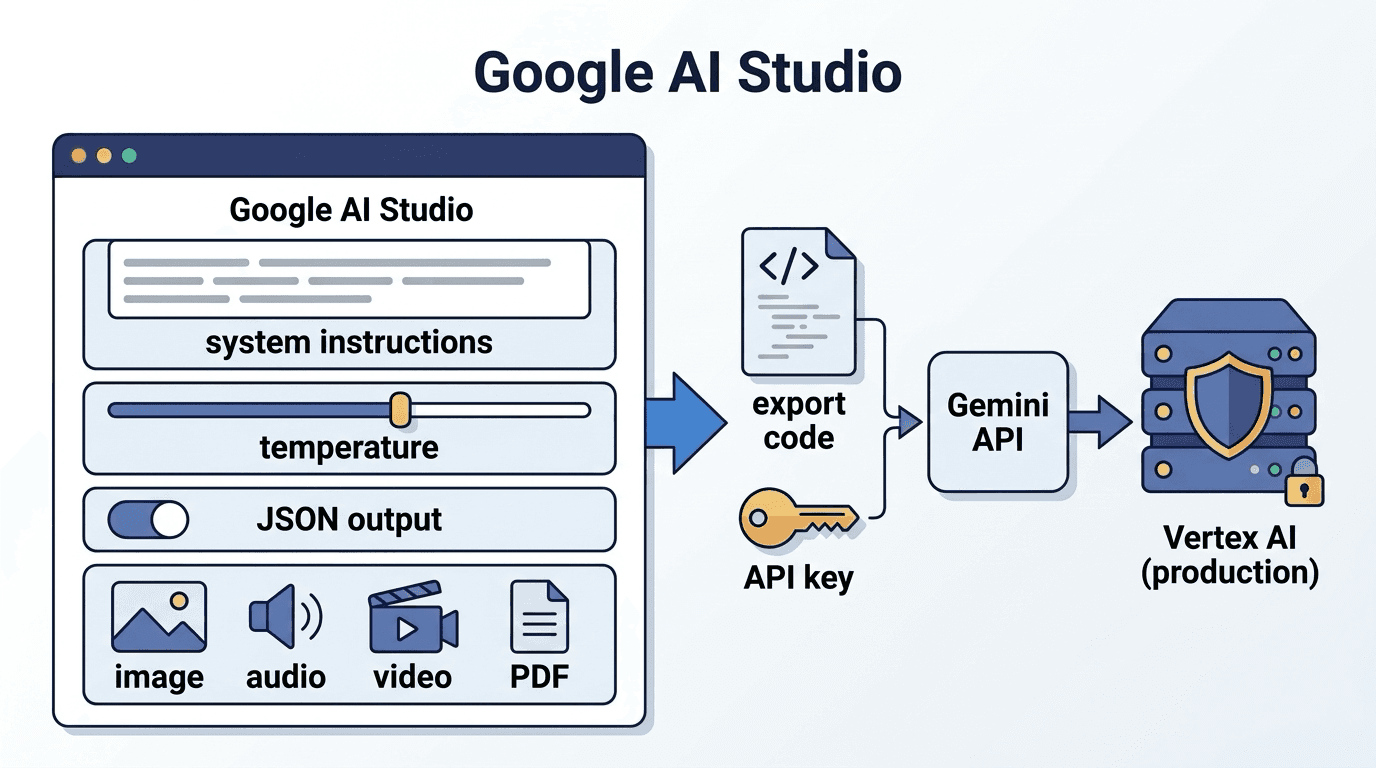
Google AI Studio is Google's free developer tool for trying Gemini models in the browser, testing prompts and issuing API keys.
Google AI Studio is a developer tool for trying Google's generative AI models, Gemini, in the browser: testing prompts, tuning parameters and issuing API keys. If the Gemini app is the chat product for everyday users, AI Studio is the lab you use before building AI into an app or business system.
What you can do
- Prototype prompts: change the system instruction, parameters such as temperature, and the output format (for example JSON), and compare results
- Multimodal input: feed in images, audio, video and PDFs
- Test tools: grounding with Google Search, code execution and function calling
- Export code and get an API key: turn a tested prompt into Python or JavaScript and call it directly through the Gemini API
- Prototype apps: describe the app you want in plain language, get a working web app, and publish it on Google Cloud
Free tier vs paid tier
AI Studio itself is free. The Gemini API also has a free tier that lets you call the main models within request and token limits, while some models, such as video and image generation, are paid only.
The point most often missed is data handling. Google's official pricing page states that content sent on the free tier is used to improve Google's products, and content on the paid tier is not. Run tests that involve customer data or internal documents on the paid tier or on Vertex AI in Google Cloud.
From prototype to production
- Write the role and constraints in the system instruction and prepare a few dozen test inputs
- Compare models, temperature and maximum output tokens, then settle on a configuration
- Export the code and keep prompts under version control so changes can be traced
- Move production workloads that need authentication, auditing, regional control or an SLA to Vertex AI
Models are updated often, and the same prompt can start producing different results. Keep an evaluation set and rerun it after every update. For prompt writing, see prompt engineering and system prompt. Our guide to designing an AI PoC covers the planning steps, and we support everything from PoC to production through our AI & DX services.
Articles covering this term
- LLM Cost Optimization Guide — Token Reduction, Model Selection, and Cache ImplementationPractical guide to cutting LLM production costs. Learn 4 pillars—token optimization, model selection, prompt caching & RAG design—to halve monthly costs without sacrificing accuracy.
- How Thai SMEs Can Reduce Marketing Costs with Generative AILearn how Thai SMEs cut SNS & EC content costs with generative AI. Practical steps for creating images, videos & text for LINE & TikTok.


Related Terms
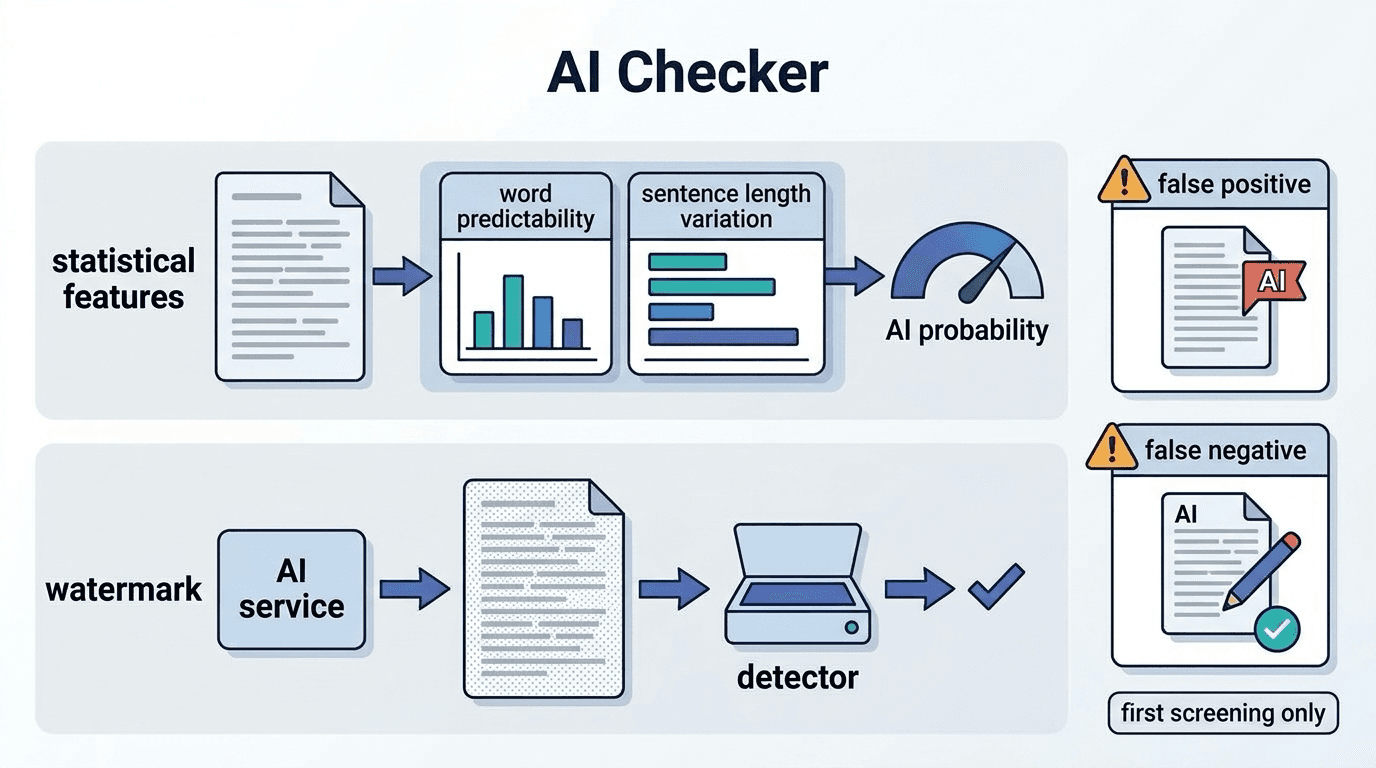
AI Checker (AI-generated text detector)
An AI checker is a tool that estimates whether a piece of writing was generated by AI, mainly from s
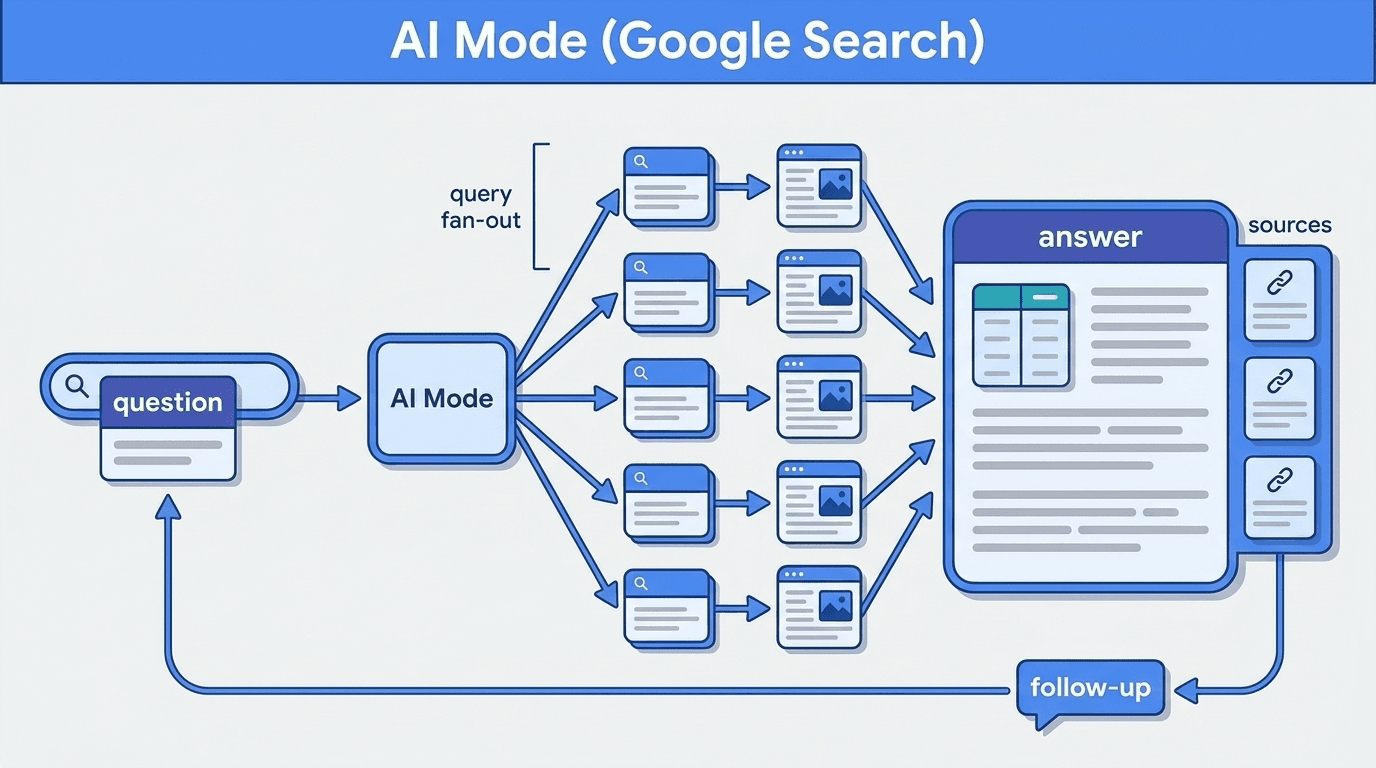
AI Mode (Google AI Mode)
AI Mode is a generative AI search mode built into Google Search that answers questions conversationa

Context Window
A context window refers to the maximum number of tokens an LLM can process at one time, indicating t
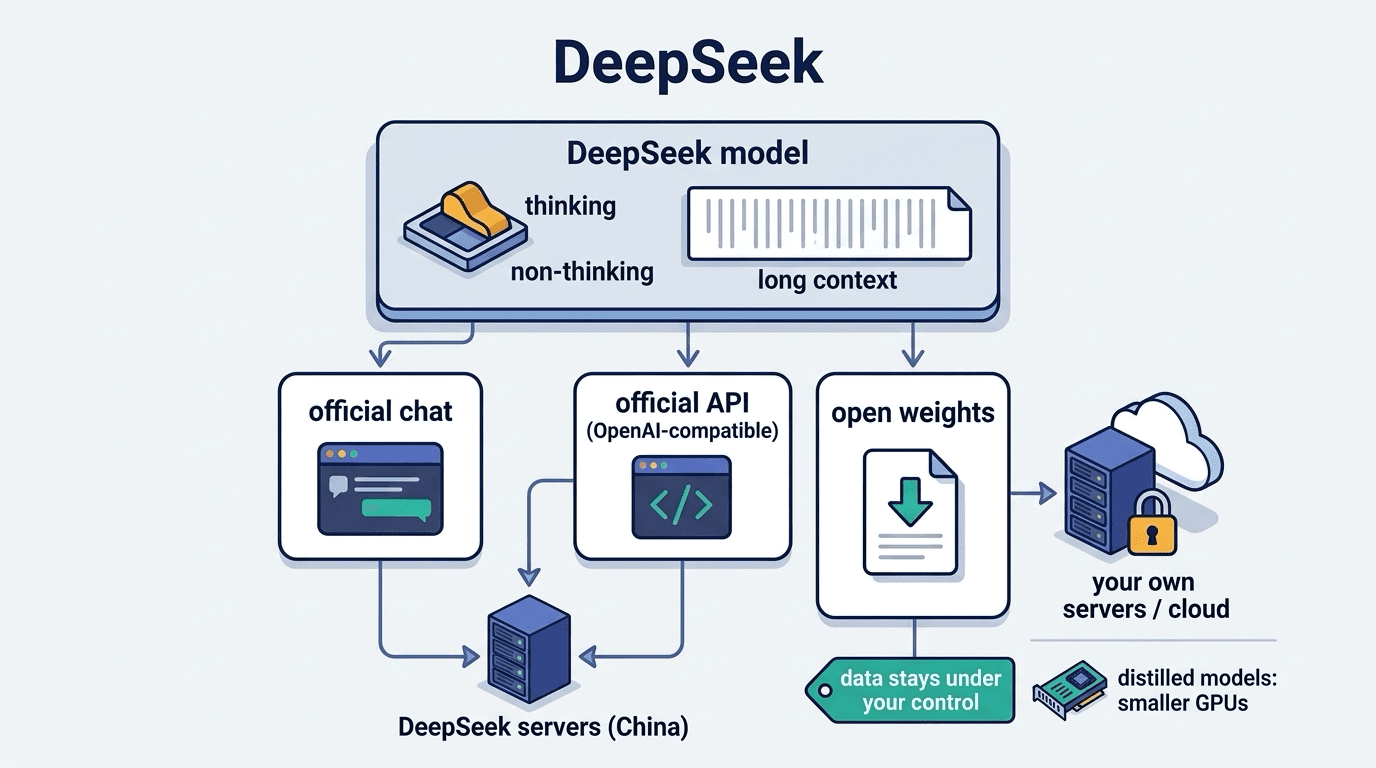
DeepSeek
DeepSeek is a family of large language models and a chat service developed by the Chinese company De