Codex (OpenAI)
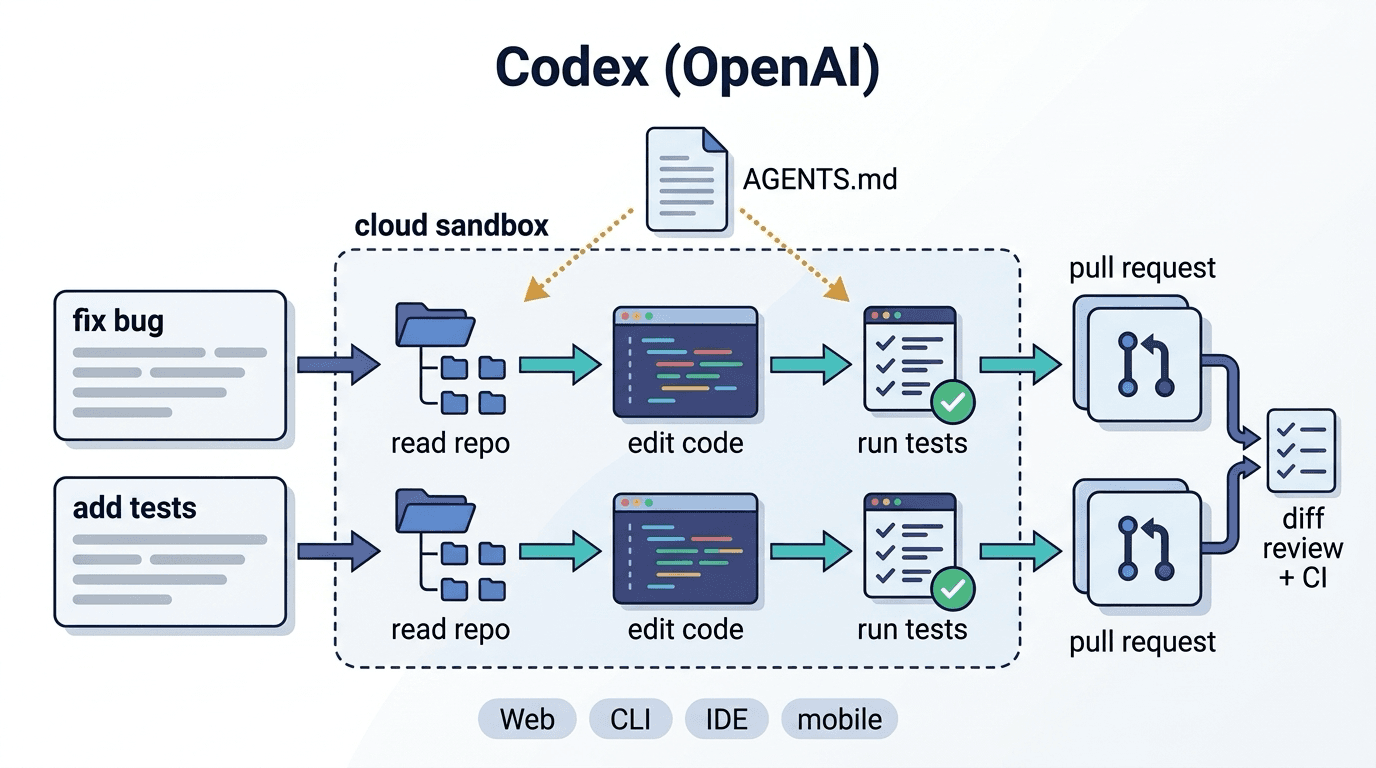
Codex is OpenAI's AI coding agent. It reads a repository and carries a task through implementation, testing and pull request creation, running either in parallel in the cloud or locally through the CLI.
Codex is OpenAI's AI coding agent. Give it a task such as "fix this bug" or "add tests," and it reads the repository, changes the code, runs the tests and returns the result as a pull request.
It is not the same thing as the earlier code-generation model of the same name that OpenAI released (the one behind the first version of GitHub Copilot). Today, Codex refers to a product that works as an agent.
Where you can use it
| Surface | How it works |
|---|---|
| Web (cloud) | Connect a GitHub repository from ChatGPT and run tasks in isolated environments on OpenAI's servers; several tasks can run in parallel |
| CLI | Start it in a terminal and work interactively on a local project |
| IDE extension | Assign tasks and review diffs from inside the editor |
| Mobile app | Send tasks and check results while away from your desk |
If you document your conventions and how to run tests in an AGENTS.md file in the repository, Codex follows them.
How it differs from Claude Code
| Codex | Claude Code | |
|---|---|---|
| Where it mainly runs | Cloud sandboxes (local via the CLI) | The developer's machine |
| Best suited to | Sending tasks in parallel and receiving PRs | Working interactively with local tools, databases and the browser |
| Guardrails | Environment setup and AGENTS.md | CLAUDE.md, hooks and MCP |
Many teams use both: Codex for batches of routine fixes, Claude Code for implementation that needs investigation. We compared them inside our own development team in our Claude Code vs Codex article.
Pricing
Codex is included in ChatGPT plans and is fully usable on paid plans (Plus / Pro / Business / Enterprise and others), with limited access on the free plans. Usage is now counted in credits based on tokens, with limits that vary by plan. The CLI can also be billed per token with an API key. Terms change, so check the official pricing page.
Cautions
Passing tests do not guarantee the implementation matches the specification, so keep diff reviews and CI in place. When running in the cloud, set up the environment, including dependency installation, first, or the tests will not run. Decide which repositories to connect and how secrets (environment variables) are handled.
Rather than relying on instructions alone, design verification and stop conditions using harness engineering to reduce agent failures structurally. We help teams adopt AI coding agents and design the controls around them through our AI & DX services.
Articles covering this term
- Practical Guide to AI Coding Agents — How Claude Code vs Codex Will Transform Your Development TeamClaude Code excels at real-time collaboration; Codex at autonomous cloud execution. Compare both with our benchmark data, plus a task-based selection strategy and decision flowchart.
- Claude Code Team Adoption Guide — How to Standardize Your Development Workflow with CLAUDE.md, Skills, and HooksA practical guide to adopting Claude Code for dev teams. Boost productivity with CLAUDE.md context management, reusable Skills workflows, and Hooks automation.
- A 90-Day Roadmap to Establishing AI Coding Agents in Thailand-Laos Development TeamsA step-by-step guide to rolling out AI coding agents like Claude Code to dev teams in Thailand/Laos in 90 days: CLAUDE.md setup, review standards, language barriers, and KPIs.
- Harness Engineering Case Studies: What 4 Companies Changed Beyond the ModelBased on public case studies from OpenAI, LangChain, Anthropic, and Uber, see how harness changes (instructions, verification, permissions, execution environment) affect performance, quality, and cost.


Related Terms
Ambient AI
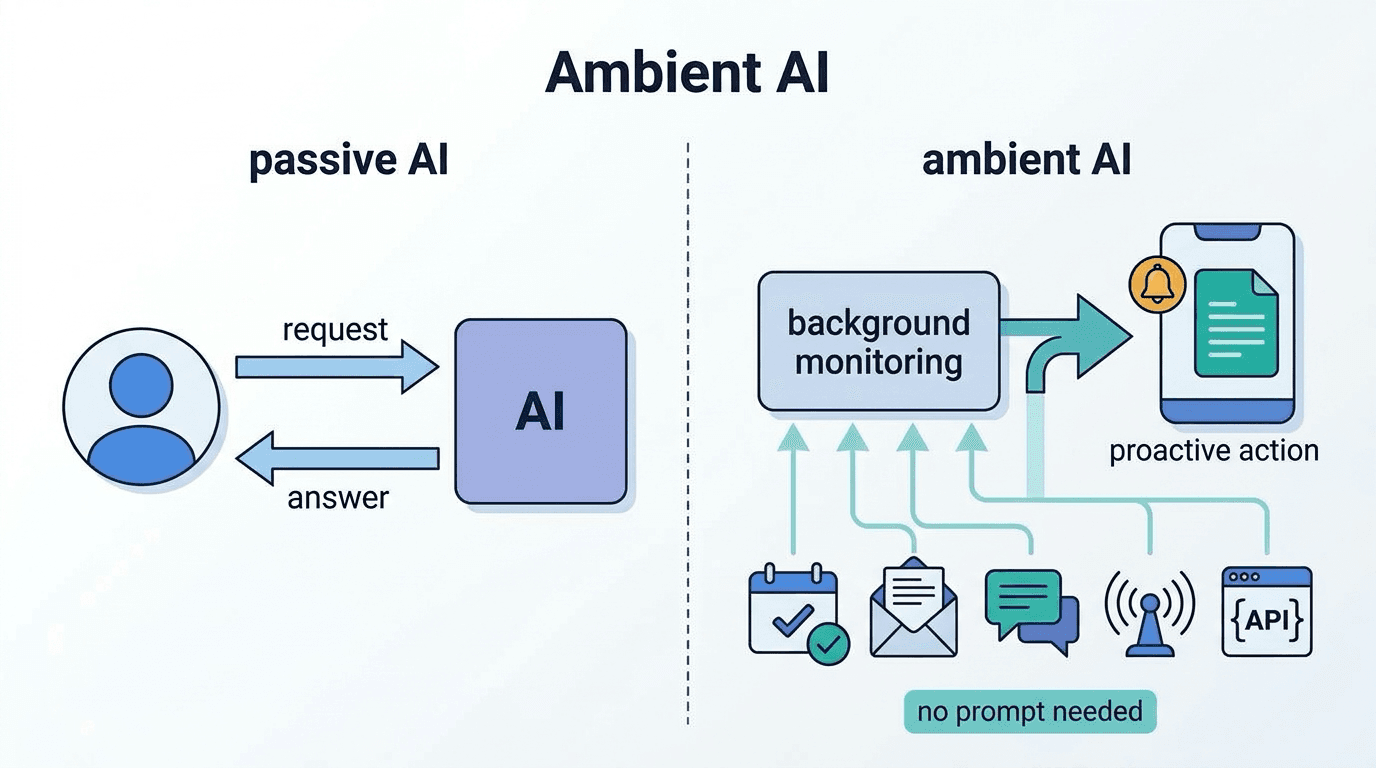
Ambient AI refers to an AI system that is seamlessly embedded in the user's environment, continuousl
Claude Code
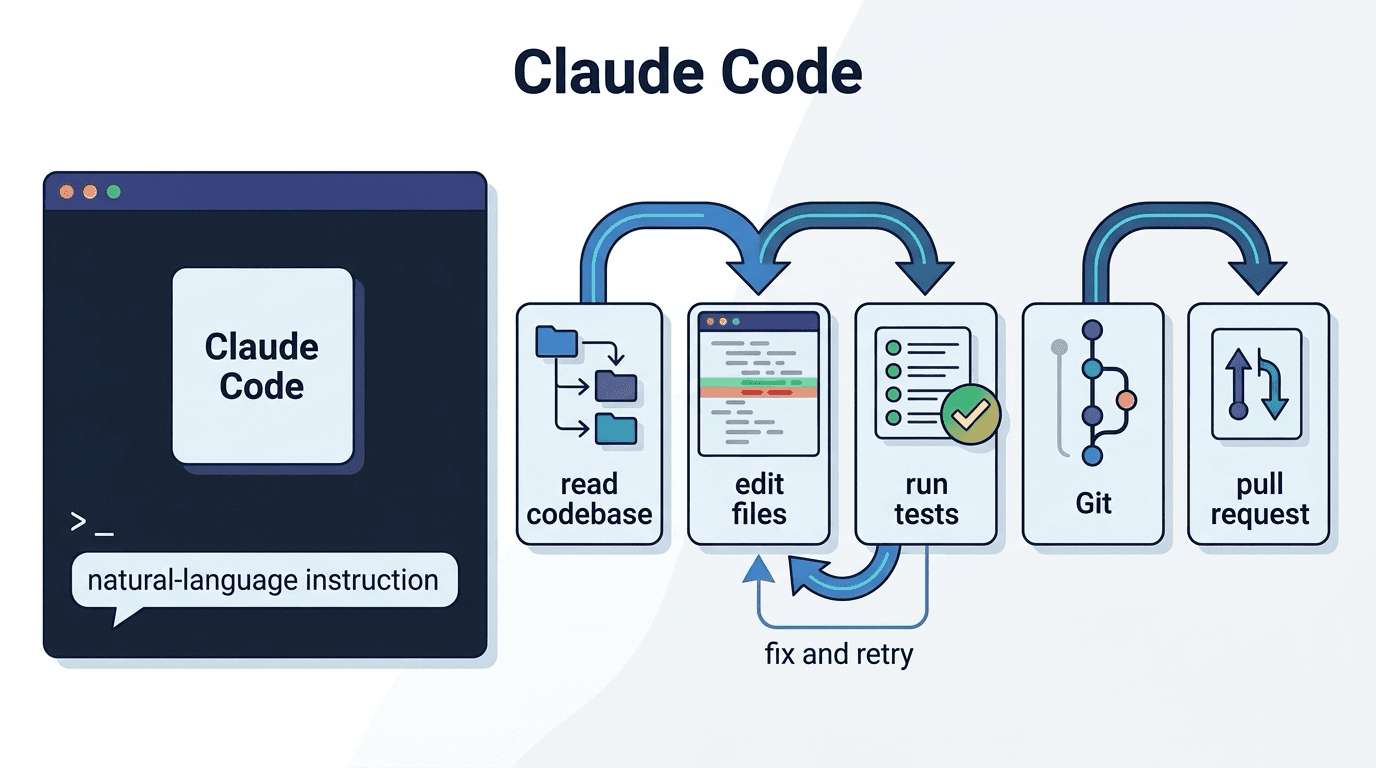
Claude Code is a terminal-resident AI coding agent developed by Anthropic. It is a CLI tool that ena
Genspark
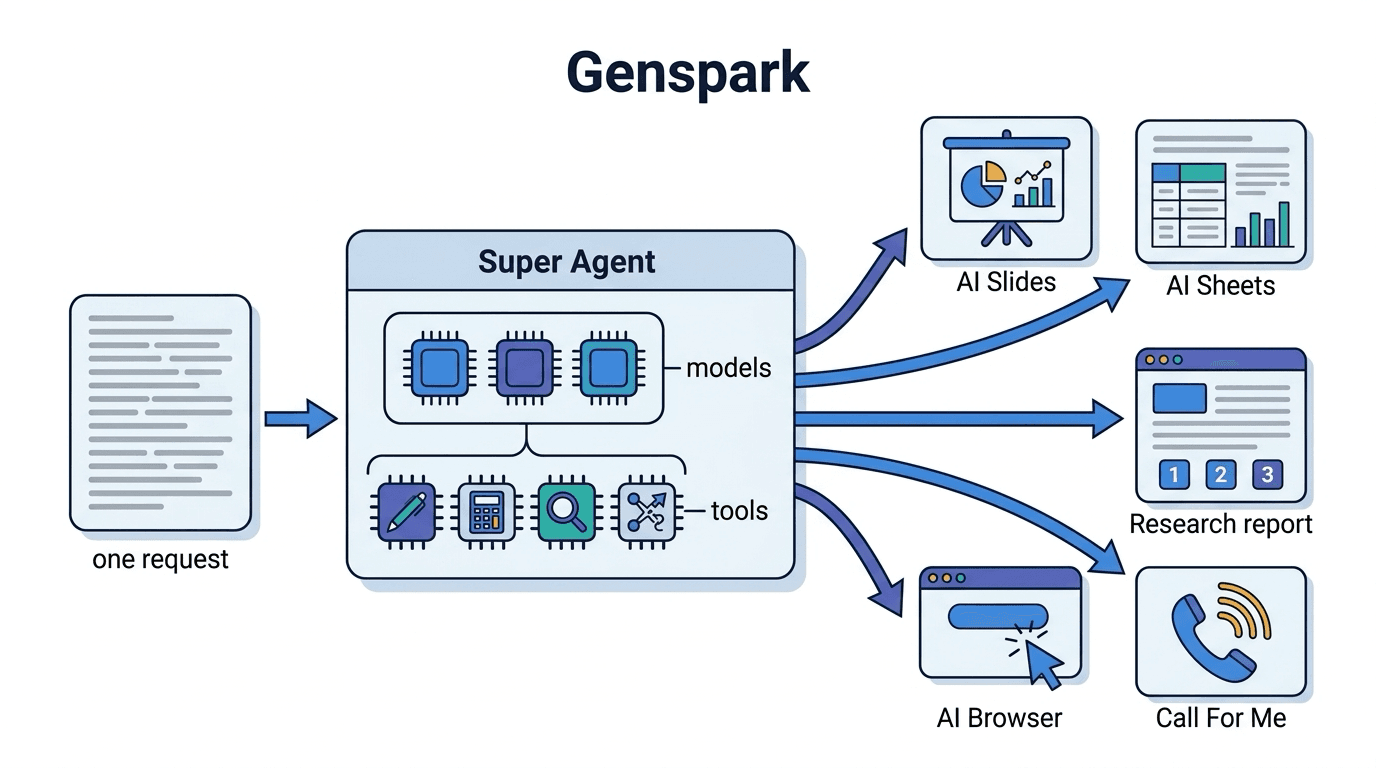
Genspark is an AI workspace in which AI agents take on research, slide and spreadsheet creation, and
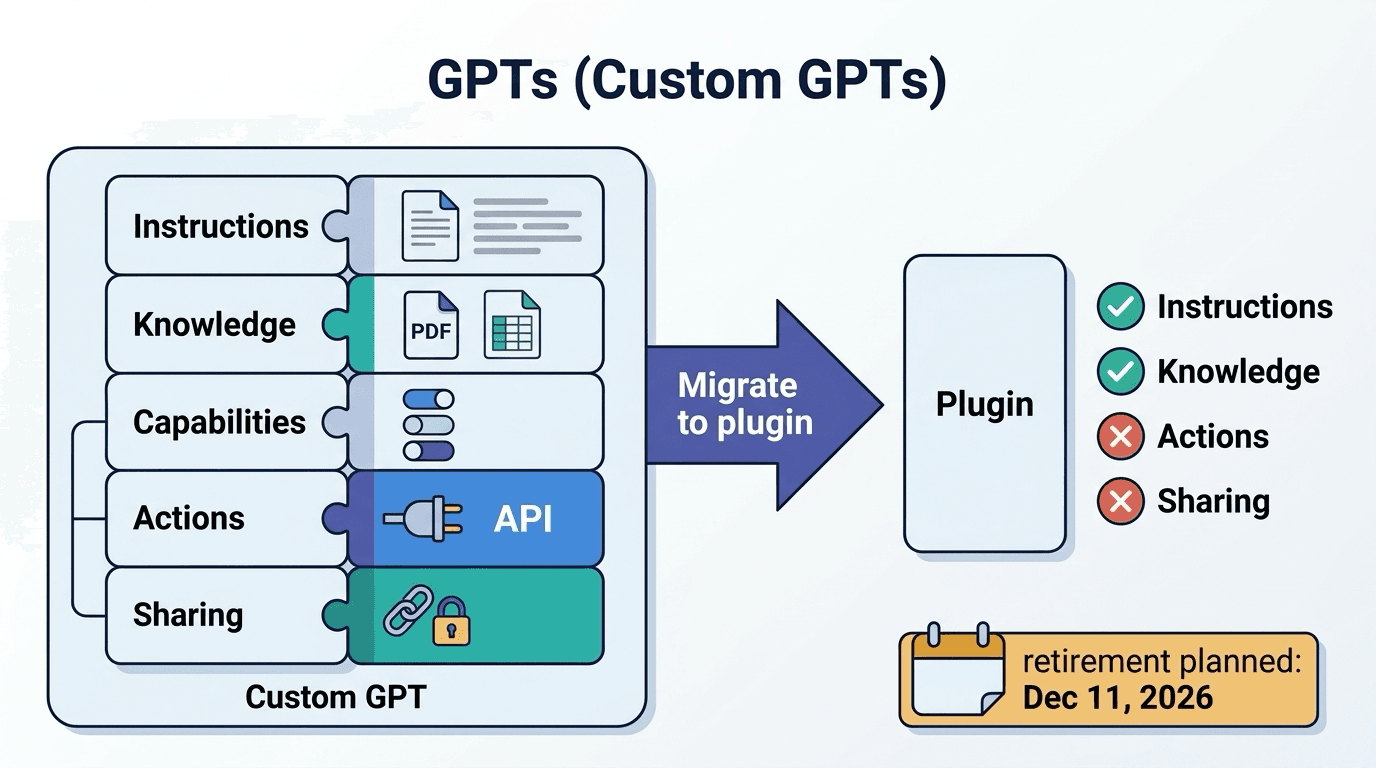
GPTs (custom GPTs)
GPTs are custom versions of ChatGPT built for a specific task by configuring instructions, reference