What is AI-Native UI? The Design Philosophy of Generative AI Dynamically Creating Screens

Lead
AI-native UI is a philosophy of interface design in which generative AI interprets the user's intent and context in real time, dynamically generating and transforming screen layouts and components. It differs fundamentally in its design premise from conventional UI, which requires users to operate pre-prepared fixed forms and menus. This article systematically organizes, for UX designers and product managers, the basic concepts of AI-native UI, its differences from conventional UI, design principles, implementation patterns, and common pitfalls. The goal is not to consume it as a buzzword, but to understand it at a resolution that allows you to judge whether it should be incorporated into your own product.
The core of AI-native UI lies in a reversal of roles: rather than "humans learning how to operate a screen," it is "the screen being built around what the human wants to do." We begin by covering the differences from conventional UI, the concrete meaning of "AI building the screen," and the relationship with the related concept of ambient AI.
Essential Differences from Traditional UI
Conventional UI (GUI) is a "static" design in which developers pre-encode anticipated use cases into fixed components such as buttons, forms, and menus. Users must translate what they want to do into the prescribed operating procedures provided to them.
AI-native UI inverts this premise. When a user expresses their intent through natural language or context, the AI assembles the necessary screens, input fields, and options on the spot to match that intent. The protagonist is no longer a "fixed screen" but an "interface generated on demand."
| Perspective | Conventional UI | AI-native UI |
|---|---|---|
| Screen | Fixed design prepared in advance | Dynamically generated based on context |
| Control | Humans learn the operations | AI adapts to intent |
| Input | Forms and menus | Natural language, context, multimodal |
| Unanticipated requests | No corresponding screen exists | Possible to compose on the spot |
A common misconception is the idea that "making it a chat screen makes it AI-native." Chat is merely one form of input. The essence lies in the fact that the UI output itself changes in response to the user's intent.
What Does It Mean for Generative AI to "Build Screens"?
When people hear "AI builds the screen," it may sound like handing the entire design over to AI—but the reality is different. In most implementations, the approach is that the AI decides on the spot how to combine components (parts) that developers have prepared in advance.
Concretely, upon receiving a user's request, the AI determines that "this task requires a date input, an amount input, and a confirmation button," then selects and arranges the corresponding components. Rather than drawing pixels from scratch, it outputs the contextually appropriate components from a set of trusted parts as structured data (such as JSON), which the frontend then renders.
This approach of "preparing components in advance and delegating their combination to the AI" is practical because it makes quality and safety easier to guarantee. By having the AI select within the constraints of a design system, brand consistency can be maintained while delegating only the flexibility of the screen layout to the AI. Not complete free generation, but "constrained generation"—this is the key insight that makes it work in production use.
Relationship with Ambient AI
When understanding AI-native UI, the concept of ambient AI serves as a useful reference point. Ambient AI refers to an AI paradigm that senses the environment and context and provides support in the background, without requiring explicit user operation.
While conventional UI is triggered by "active user operation," ambient AI is triggered by "changes in the situation." AI-native UI can be understood as bringing this thinking into interface design. Inferring from context what the user wants to do and proactively presenting the necessary screen—this behavior is ambient AI in nature.
However, proactive anticipation is a double-edged sword. If a misread of context produces an irrelevant screen, it becomes an obstacle to the user's workflow rather than a help. How to strike the right balance between ambient proactivity (anticipating needs) and user agency (the ability to choose for oneself) is one of the key challenges in AI-native UI design. This is precisely why the design principles discussed later become so important.
Why Is AI-Native UI Gaining Attention Now?

The reason AI-native UI is only now becoming a realistic prospect is that three converging shifts have taken place: advances in natural language understanding by generative AI, the rise of multimodal capabilities, and the emergence of AI agents. We will examine in turn what each of these changes brings to UX design.
How the Rise of Generative AI Has Changed UX Design
UX design up to this point has been an endeavor focused on determining "what sequence of operations allows users to navigate without confusion." Button placement, form order, error message wording—all of these are contrivances that require humans to adapt to the conventions of machines.
The widespread adoption of generative AI has shaken this premise. If AI can interpret intent communicated in natural language, users no longer need to memorize how to operate a screen. A conceptual shift has occurred: it is enough to express "what you want to do" rather than "how to operate it."
This change does not make the work of UX designers obsolete—it shifts their focus. Less emphasis is placed on meticulously designing fixed screens; instead, what becomes important is designing the rules of dialogue and generation: "what intent should the AI infer, how should it infer it, and with what components should it respond." The center of gravity in design is moving away from "designing the appearance of an interface" and toward "designing the behavior of an interface."
Multimodal AI and Interface Expansion
The evolution of multimodal AI—AI capable of handling not just text but also images, audio, video, and more—is also driving AI-native UI forward.
As the range of inputs expands, interfaces are no longer confined to "typing text into a form." Showing a photo and saying "I want to order the same part as this," speaking aloud "summarize last month's expenses," pointing at a screen and saying "fix this part"—designing systems that interpret such diverse inputs as intent and respond with appropriate screens has become a practical reality.
The same applies to output. Whether to return an answer as text, present it as a table, or display an interactive form is something AI can choose based on context. Multimodal capabilities increase the degrees of freedom in interfaces on both the input and output sides, providing the foundation for approaching the AI-native UI ideal of "exchanging information in the form best suited to the situation."
Background: The Convergence of AI Agents and UI
Another driving force is the rise of AI agents. An agent refers to an AI that, when given a goal, independently determines the steps needed and calls upon tools to execute tasks.
As agents become widespread, the role of the UI changes. When agents begin handling in the background work that humans previously carried out through repeated screen interactions, the screen slims down from "a place to operate through every step" to "a place where humans check and approve at key junctures." The agent asks "Is it all right to place this order?"—and the human approves. The appropriate confirmation UI for that moment is then dynamically presented based on context.
This "human involvement at key junctures" is referred to as HITL (Human-in-the-loop), and it is becoming a central theme in UI design for the age of agents. AI-native UI functions as a mechanism that inserts the optimal screen at the moment human intervention is needed within the processes an agent is advancing. The fusion of agents and UI is a practical solution for achieving both autonomous execution and human control.
What Are the Design Principles of AI-Native UI?

The key to making AI-native UI work in business operations lies not in increasing AI's freedom, but in constraining it appropriately. Here we explain three design principles that enable a trustworthy interface: context, grounding, and guardrails.
Incorporating Context Engineering into UI
Whether AI can generate accurate screens depends on the quality of the context passed to it. Context engineering is the practice of designing which information to pass to AI, at what level of granularity, and in what order, so that it produces good output.
In AI-native UI, this must be incorporated into interface design. For example, by passing context such as "the user's role (permissions)," "recent operation history," and "data currently being edited" to the AI, the same request can yield different screens — an approval screen for administrators and a submission screen for general users.
Conversely, if context design is inadequate, the AI must infer from scratch every time, causing inconsistent screen output. The key point is that "passing everything" is not the right approach. Overloading the AI with information creates noise and actually degrades its judgment accuracy. Identifying the context that truly helps interpret user intent and passing it in a structured way — this design is the foundation that supports the consistency and precision of AI-native UI.
Ensuring Reliability Through Grounding
Generating screens dynamically also means that incorrect screens can be generated. The principle that prevents this is grounding. Grounding refers to the concept of "anchoring" AI output to real data and predefined rules, suppressing generation that lacks a factual basis.
Grounding in AI-native UI works on two levels. The first is data grounding: rather than relying on the AI's memory, values and options displayed on screen are always drawn from real data (database or API responses). The second is component grounding: the UI components the AI can use are restricted to those defined in the design system, preventing it from freely creating UI elements that do not exist.
It is precisely this "anchoring" that allows dynamic generation to maintain content accuracy and brand consistency. An AI-native UI that lacks grounding may look dynamic on the surface, but cannot guarantee the reliability of the information it displays and is unfit for business use. Grounding is the prerequisite for achieving both flexibility and reliability.
How to Integrate AI Guardrails into UX Design
AI-native UI cannot do without AI guardrails — mechanisms that structurally prevent "what must not be done." Guardrails are safety mechanisms that impose constraints on AI input, output, and actions to prevent dangerous operations or inappropriate generation.
Translated into UX design, this yields several concrete measures. For example, irreversible operations such as deletion, fund transfers, and external data transmission are never executed automatically by the AI; they always require an explicit human approval screen. Even on AI-generated screens, features the user is not authorized to access are not displayed. When an unexpected intent is received, rather than forcing a screen to be generated, the system fails safely with a message such as "This operation cannot be performed."
Guardrails should be understood not as constraints on the user experience, but as the foundation that enables users to delegate tasks with confidence. A screen where AI can do anything may appear convenient, but carries the risk of misoperation and misuse. Explicitly defining — at the UX design stage — "how much to delegate to AI and where human judgment takes over" is a requirement for building trustworthy AI-native UI.
Which Dynamic UI Generation Implementation Pattern Should You Choose?

Implementing dynamic UI generation involves choices around "where the UI is assembled," "what serves as the basis for populating content," and "what foundation it is built on." The following outlines selection criteria from three representative perspectives: generation location, RAG utilization, and no-code integration.
Differences Between Server-Side and Client-Side Generation
"Where to assemble" a dynamic UI broadly comes down to server-side generation versus client-side generation.
Server-side generation is an approach in which AI queries and screen composition decisions are made on the server, and the assembled result is returned to the client. It has the advantage of keeping AI API keys and sensitive data off the client and centralizing logic management. On the other hand, since every generation requires a round trip to the server, response latency becomes a design challenge.
Client-side generation is an approach in which the browser or app receives AI output and renders components on the spot. Interactions tend to feel more responsive, but handling sensitive information and security validation of rendering AI output directly become more critical concerns.
| Perspective | Server-side | Client-side |
|---|---|---|
| Security | Easier to keep secrets hidden | Validation design is essential |
| Responsiveness | Round-trip latency must be designed for | Easier to make responsive |
| Logic management | Easy to centralize | Tends to be distributed |
For business systems, a practical compromise is often to use server-side generation as the default given the need to handle sensitive data, while offloading only lightweight display updates to the client side.
Architecture for Dynamic Content Insertion Using RAG
To keep the "content" of dynamically generated screens current and accurate, the concept of RAG (Retrieval-Augmented Generation) is highly effective. When AI assembles a screen, rather than relying on memory for the information to display, it retrieves and inserts data from internal databases and documents, ensuring freshness and accuracy of content.
A typical architecture works as follows: the AI interprets the user's intent and retrieves the necessary information from internal sources. The retrieved results are passed to the AI as context, and the AI outputs a structured data specification defining "which components to use, what data to display, and how to present it." The frontend then follows these instructions to render a screen with real data embedded.
Furthermore, by combining this with agentic RAG, where an agent autonomously repeats retrieval and decision-making, even complex requests that cannot be handled by a single retrieval can be addressed. The key here is the grounding principle mentioned earlier. Any figures or options displayed must be tied to real retrieved data, keeping the AI grounded so it does not fabricate facts. RAG becomes the core mechanism that enables dynamic UI to achieve both "flexibility" and "accuracy" simultaneously.
Combining with No-Code/Low-Code Development Tools
AI-native UI does not necessarily require building everything from scratch. By combining it with no-code/low-code development tools, the barrier to validation and small-scale adoption can be lowered.
For example, using a workflow automation tool like n8n, you can build a flow—without writing any code—that triggers an AI call based on user input and branches processing according to the output. On the screen side, it is easy to adopt a configuration where components are prepared in advance using a low-code UI builder, and the AI is only responsible for deciding "which components to display."
The advantage of this approach is that it allows you to start small. Rather than immediately building a full-fledged dynamic UI infrastructure, you can start by "having AI assemble part of the screen" on top of existing tools, then expand the scope of in-house development as you confirm its effectiveness. On the other hand, you may quickly run into the limitations of these tools—such as the volume of data they can handle or the degree of customization they allow—so the prudent path is to assess their suitability through a PoC before committing to full-scale investment.
Common Misconceptions and Design Pitfalls

The most common failures in AI-native UI stem not from technology, but from poor design decisions about the scope of what is delegated to AI. Here, we examine two typical pitfalls: the trap of over-reliance, and the risk of hallucinations manifesting in the UI.
Problems Caused by Overreliance on AI
The biggest misconception about AI-native UI is the expectation that "delegating to AI reduces the effort required for design." In reality, the opposite is true: designing what to delegate to AI, and to what extent, becomes more important than ever.
A screen where everything is delegated to AI may appear smart and flexible at first glance, but it carries a fatal weakness: unpredictable output. If a different screen appears every time for the same operation, users cannot learn how to use it, making it counterproductively difficult. In business systems, there are many situations where predictability—"completing the same steps reliably every time"—holds more value than flexibility.
A realistic design approach is to stabilize high-frequency routine tasks with a fixed UI, while using AI-native dynamic generation for non-routine and exploratory tasks. Rather than making everything dynamic, the key is to selectively deploy AI's flexibility only where it genuinely adds value. Treating "making it AI-native" as an end in itself tends to produce products that are difficult to use and maintain. Avoiding the confusion of means and ends is the most effective way to sidestep this major pitfall.
Risks of Hallucination Appearing in UI and How to Address Them
Hallucination in text generation—producing content not grounded in fact—is well known, but in AI-native UI, the new risk is that it manifests as a "screen." Non-existent buttons, tables populated with incorrect data, features displayed without proper authorization—in each case, users tend to trust that "if the system presented it, it must be correct," making these errors more likely to cause real harm than mistakes in plain text.
The countermeasures involve deploying all of the principles discussed so far in combination. First, grounding: data displayed on screen must always be drawn from real sources, and the AI must never be allowed to fabricate figures. Second, guardrails: limit the UI components the AI can generate to predefined components, and require approval for any dangerous operations. Third, output validation: inspect the screen structure returned by the AI against a schema before rendering, and reject any invalid structures.
In addition, providing a pathway for users to recognize that "this screen was generated by AI" and to flag and correct mistakes allows errors to be caught before they become critical. The freedom of dynamic generation only becomes something that can be used with confidence in business settings when paired with these multiple layers of safety measures.
What Are the First Steps for Adopting AI-Native UI?

The standard approach to AI-native UI is not a complete overhaul, but rather starting incrementally with a single part of an existing product. Finally, we outline realistic first steps for adoption, along with the design of evaluation and monitoring practices essential for ongoing operations.
How to Incrementally Integrate into Existing Products
The approach least likely to fail when introducing AI-native UI is not rebuilding an existing product from scratch, but instead inserting it into a single feature where the impact is easy to measure.
Good initial candidates include: (1) forms with many input fields where users tend to get confused, (2) settings screens where options vary significantly depending on context, and (3) handling non-routine inquiries — in other words, areas where "building out a fixed UI is labor-intensive." The idea is to introduce AI-driven dynamic generation in a limited capacity in these areas, running it in parallel with the existing UI to measure its effectiveness.
A practical approach is to first conduct a PoC within a limited internal scope, comparing "intent interpretation accuracy," "validity of generated screens," and "user task completion rate" against the existing UI. Only expand incrementally into areas where clear improvements have been confirmed. Applying it across the board all at once makes it difficult to predict the impact of issues and risks causing significant user confusion. Start small, measure, then expand — this iterative cycle is the path to steady progress while keeping risk under control.
Designing Evaluation Metrics and AI Observability
With AI-native UI, where screens change dynamically, it can be difficult to see "what is actually happening." That is precisely why AI Observability — a mechanism for monitoring and visualizing AI behavior — must be designed in from the moment of introduction.
What needs to be observed differs from traditional UI. For a given intent: what screen was generated, and was the user able to complete their task with it? By recording metrics such as the rate of intent misinterpretation, the frequency of regeneration, and the proportion of cases where users rolled back at the confirmation screen, it becomes possible to identify "where the AI is going wrong."
Evaluation metrics should combine UX indicators such as task completion rate and time-on-task with assessments of generated screen validity (via manual review and user feedback). The key is not to treat release as the finish line, but to build in a loop from the start — reviewing logs and continuously iterating on improvements. Dynamic UI is a system that is refined through operation, and a dynamic UI that cannot be observed becomes a dynamic UI that cannot be controlled.
Frequently Asked Questions (FAQ)

Here we address questions that are especially common among UX designers and product managers regarding AI-native UI.
Q. What is the difference between AI-native UI and a chatbot? A chatbot is a mechanism for conversing within a "fixed UI called chat" — it is simply one form of input method. What fundamentally distinguishes AI-native UI is that the interface itself — not limited to conversation, but including forms, tables, operation screens, and more — changes dynamically in response to user intent. Chat can be one component of AI-native UI, but the two are not synonymous.
Q. Should every product be converted to AI-native UI? That is not necessary. For high-frequency, routine tasks, a predictable and fast fixed UI is often superior. AI-native UI is most effective for non-routine tasks where the available options and steps vary significantly depending on context. Knowing when to use a fixed UI versus a dynamic UI is the realistic design judgment that matters.
Q. How much development effort does adoption require? The scale varies greatly depending on the scope of application and the architecture. Starting with a single feature on top of a no-code or low-code tool allows for a small beginning, while building a full-scale dynamic UI infrastructure in-house requires a commensurate investment. We recommend starting with a PoC on a single feature where impact is easy to observe, confirming improvements, and then expanding from there.
When considering the adoption of AI-native UI or evaluating its suitability for your own product, we recommend consulting with specialists such as ourselves while starting with small-scale validation.
Author & Supervisor

Yusuke Ishihara
Started programming at age 13 with MSX. After graduating from Musashi University, worked on large-scale system development including airline core systems and Japan's first Windows server hosting/VPS infrastructure. Co-founded Site Engine Inc. in 2008. Founded Unimon Inc. in 2010 and Enison Inc. in 2025, leading development of business systems, NLP, and platform solutions. Currently focuses on product development and AI/DX initiatives leveraging generative AI and large language models (LLMs).
Recommended Articles


Terms related to this article
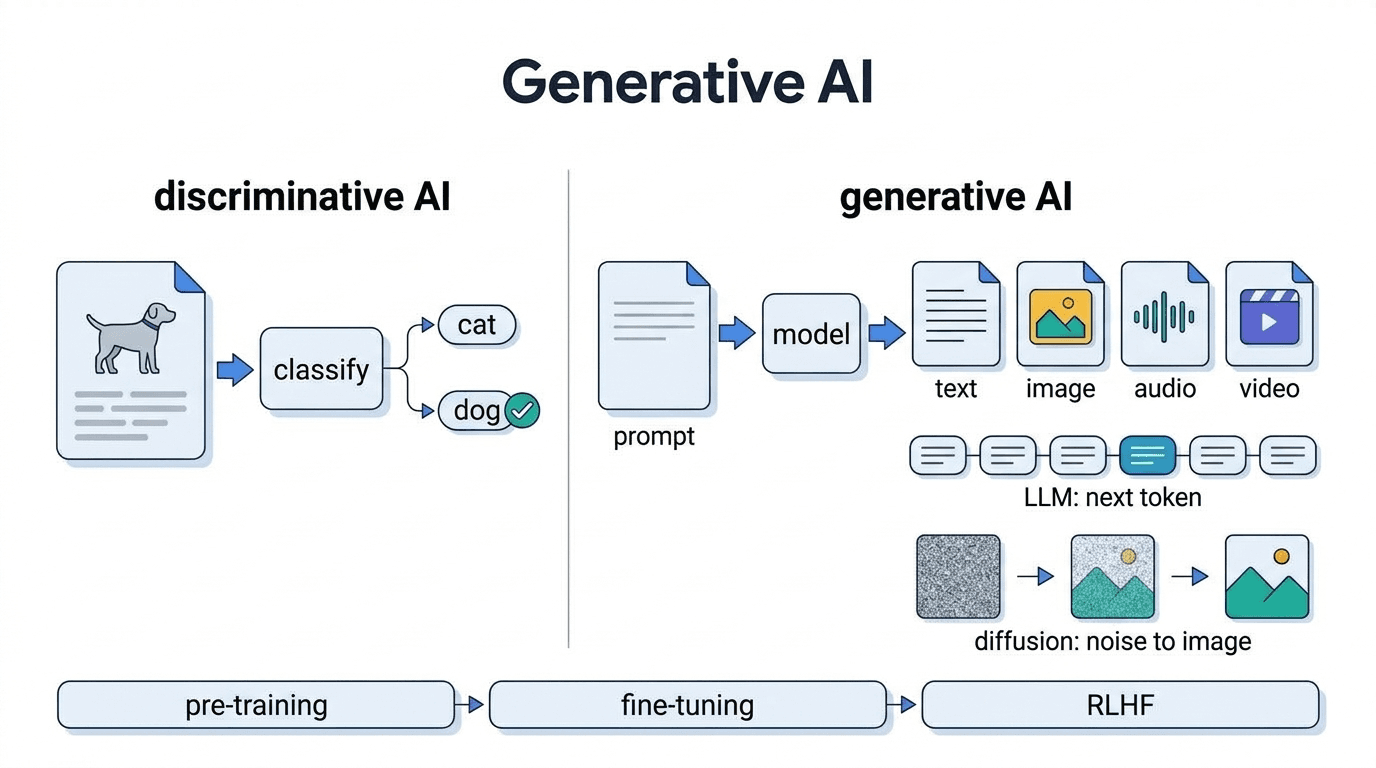
Generative AI (Generative AI)
Generative AI is a collective term for AI models capable of autonomously generating content such as
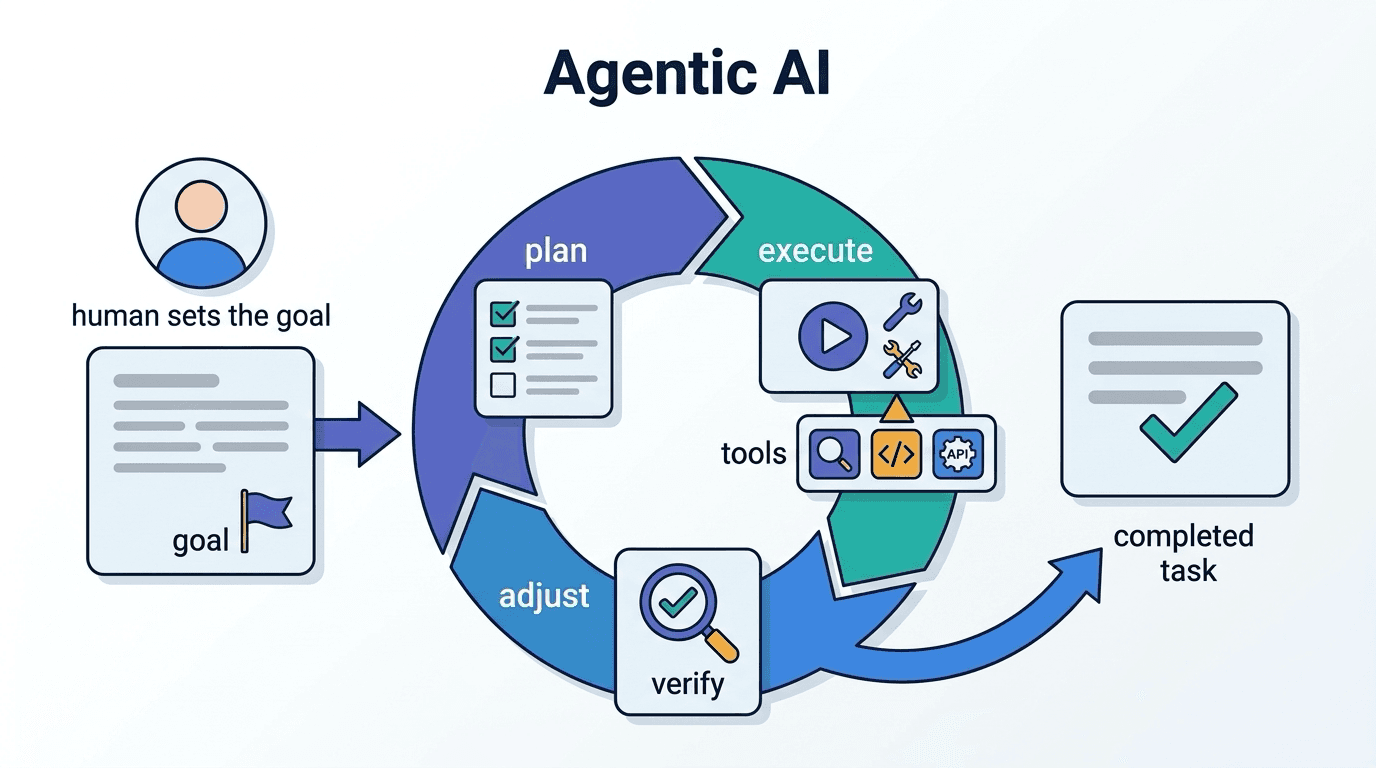
Agentic AI
Agentic AI is a general term for AI systems that interpret goals and autonomously repeat the cycle o
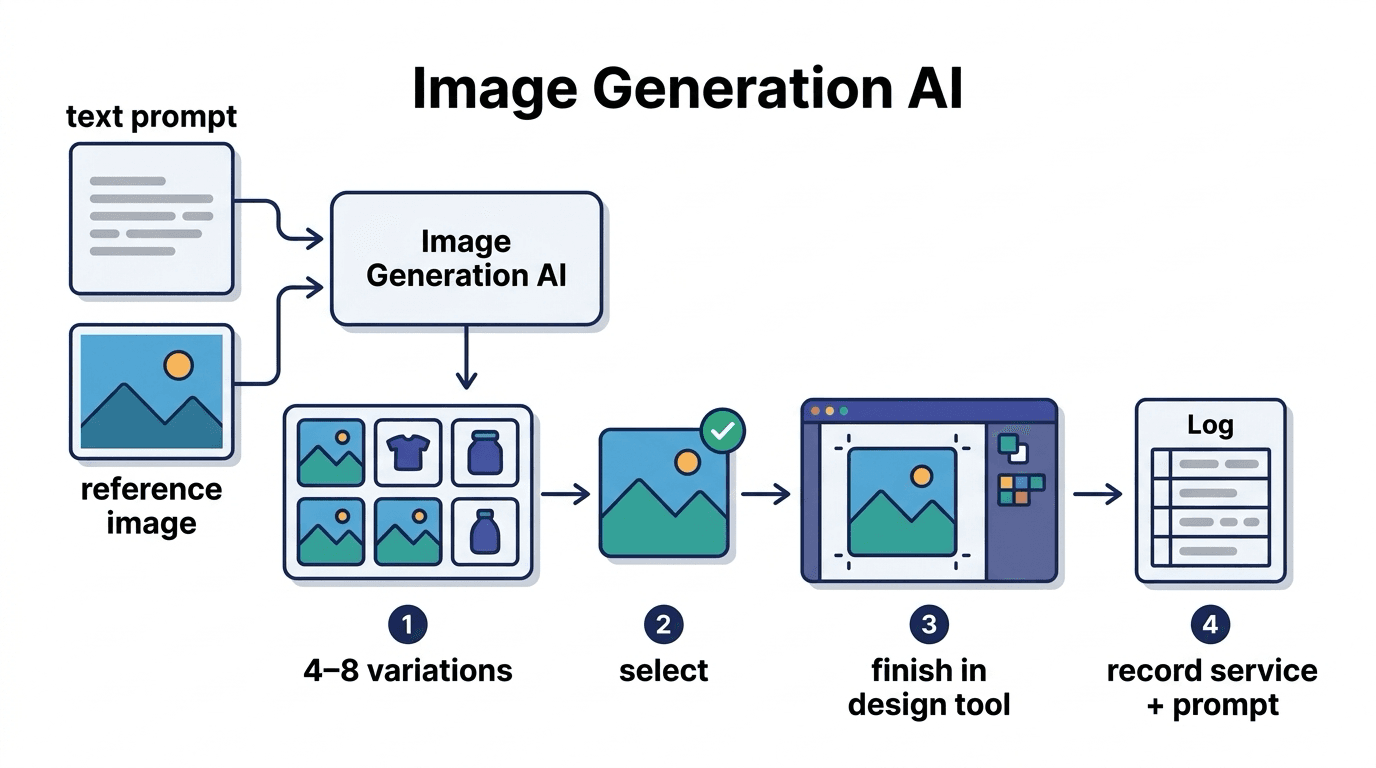
Image Generation AI
Image generation AI refers to generative AI that creates new images from text instructions or refere